



Written by Iovalli Acevedo Marketing Manager
April 2, 2025












As educational institutions increasingly rely on technology to support teaching and learning, IT leaders face growing demands to provide secure, efficient, and scalable solutions. Windows 365 offers a cloud-based solution to streamline your classroom management, address security risks, and enhance the flexibility of your learning environments.
You’re likely no stranger to the hurdles educational institutions face when it comes to technology adoption. Some of the key pain points you might be experiencing include:
Windows 365 presents a powerful solution to these challenges, providing an intuitive, cloud-based alternative for modernizing the classroom. Here’s how it works:
From planning and deployment to optimization and support, our Microsoft 365 consulting services help you maximize your investment and work more efficiently
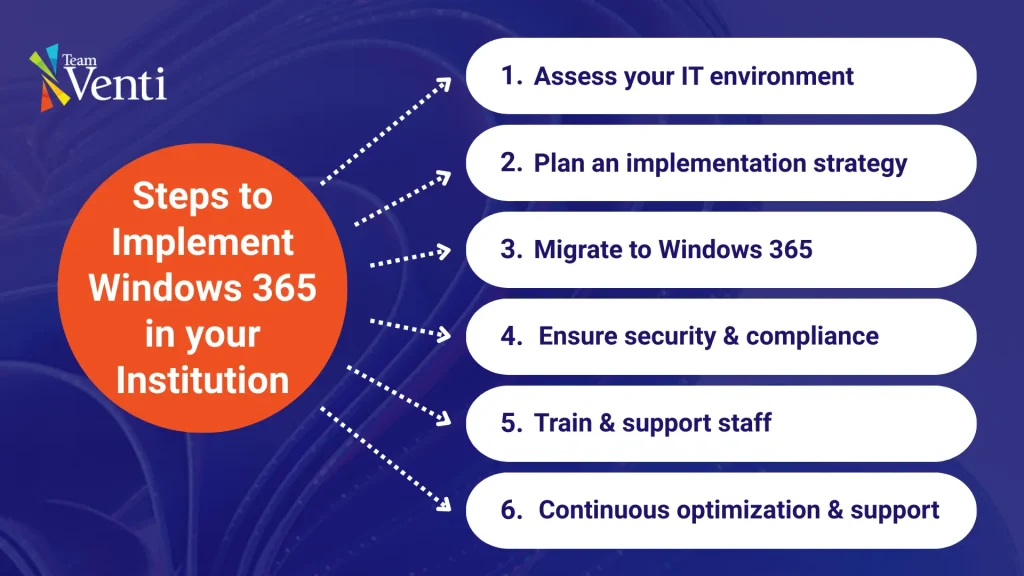
The process of implementing Windows 365 doesn’t have to be overwhelming. With the right support, you can make a seamless transition to a modernized, cloud-based classroom. At Team Venti, we work closely with your IT team to assess your needs, plan an implementation strategy, and ensure a smooth adoption process.
Our approach is centered on collaboration, starting with a thorough analysis of your current IT infrastructure to identify areas that can benefit most from Windows 365. From there, we guide you through the migration process, ensuring minimal disruption to your learning environment. Whether you need help with device management, security setup, or staff training, our team provides hands-on support every step of the way.
If you’re ready to simplify device management, enhance security, and improve learning experiences, we can help you get started with a tailored solution designed for your institution.
Get news, updates, and insights about Microsoft solutions, technologies, and best practices.