




Written by Lucy Camero Team Venti Brand Manager
March 28, 2025












During the shift to digital education, LASALLE University in Philadelphia, PA, leveraged an Azure Virtual Desktop setup to ensure academic continuity. The university needed a scalable, secure solution that could support students and faculty across multiple disciplines while maintaining accessibility, security, and cost efficiency.
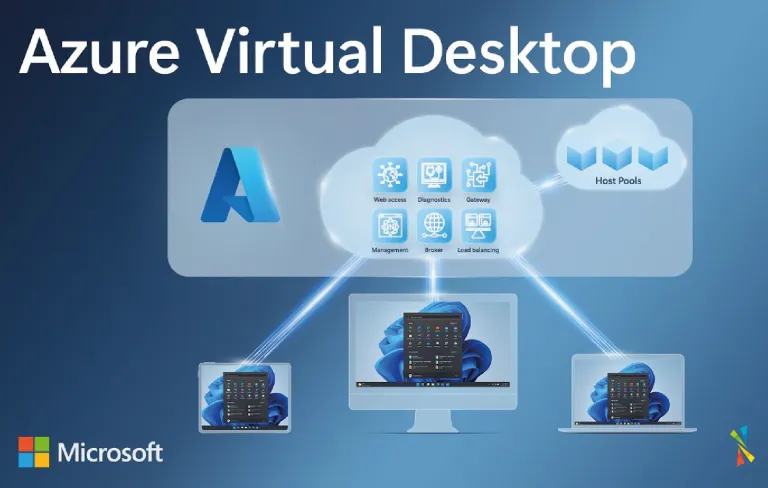
To address these challenges, LASALLE partnered with Team Venti to implement a robust Azure Virtual Desktop (AVD) setup. This cloud-based solution provided:
Secure, remote access to academic applications.
Scalability to support fluctuating student enrollment.
Cost savings through cloud-based infrastructure and Bring Your Own Device (BYOD) policies.
Team Venti designed tailored Golden Images—pre-configured virtual desktops equipped with software specific to each faculty and student group. This ensured:
Instant access to necessary learning tools
A seamless, personalized user experience
Reduced IT maintenance requirements
By enabling students to use their own devices to access the virtual desktop environment, LASALLE significantly reduced the need for on-campus hardware investments. This approach:
Lowered university IT expenses
Made learning more accessible to a diverse student body
Maintained security and compliance with centralized cloud management
Migrating to Microsoft Azure provided LASALLE with a flexible, cost-effective IT infrastructure. The benefits included:
On-demand scalability to match enrollment fluctuations
Reduced administrative overhead for IT teams
Lower operational costs compared to traditional on-premises setups
Azure Virtual Desktop integrated directly with Microsoft Teams, OneDrive, and Outlook, enables:
Real-time collaboration between students and faculty
Secure document storage and sharing
Enhanced remote learning experiences with minimal IT intervention
LASALLE’s Azure Virtual Desktop setup enabled hybrid learning models by:
Providing a secure, adaptable environment for remote access
Allowing multiple customized VDI sessions to meet diverse learning needs
Ensuring a consistent user experience, whether students accessed coursework from campus or home
Plan, deploy and/or optimize your cloud, hybrid, or on-premises environment
By deploying Azure Virtual Desktop, LASALLE University successfully modernized its academic infrastructure, ensuring uninterrupted learning and long-term cost efficiency.
If your school or university is exploring virtual desktop solutions, Team Venti can help you implement an Azure Virtual Desktop setup that meets your unique needs. Contact our team to discuss how AVD can support your institution’s digital transformation.
Get news, updates, and insights about Microsoft solutions, technologies, and best practices.