

Microsoft Teams Real-time Call Management: The Formula for a Better Customer Experience

Table of Contents
Lack of visibility into Teams calls is hurting your business
Only 38% of businesses are actually answering their inbound calls. This becomes concerning as 77% of customers expect to reach a representative immediately when calling a company and 85% of unattended callers won’t call again – they will find your competitor. (Salesforce, PCN Answers, 2025)
That’s why using Microsoft Teams Voice without call visibility is like navigating a storm blind. Luckily, Teams PowerPack troubleshoots this issue and delivers contact center-like capabilities, specifically designed for MS Teams Voice – without the enterprise cost or deployment complexity.
What are Microsoft Teams Voice blind spots?
Although Microsoft Teams Voice offers a reliable foundation for business calling, it offers no visibility into call handling – call queues, auto-attendants or routing insights are non-existent. Only basic historical reporting is available, and it expires after one month.
Real-time call management solutions such as Teams PowerPack give you live visibility and actionable call insights based on analytics and reporting, so you always know what is happening throughout call operations – before customers hang up.
How to get real-time visibility for Microsoft Teams Voice
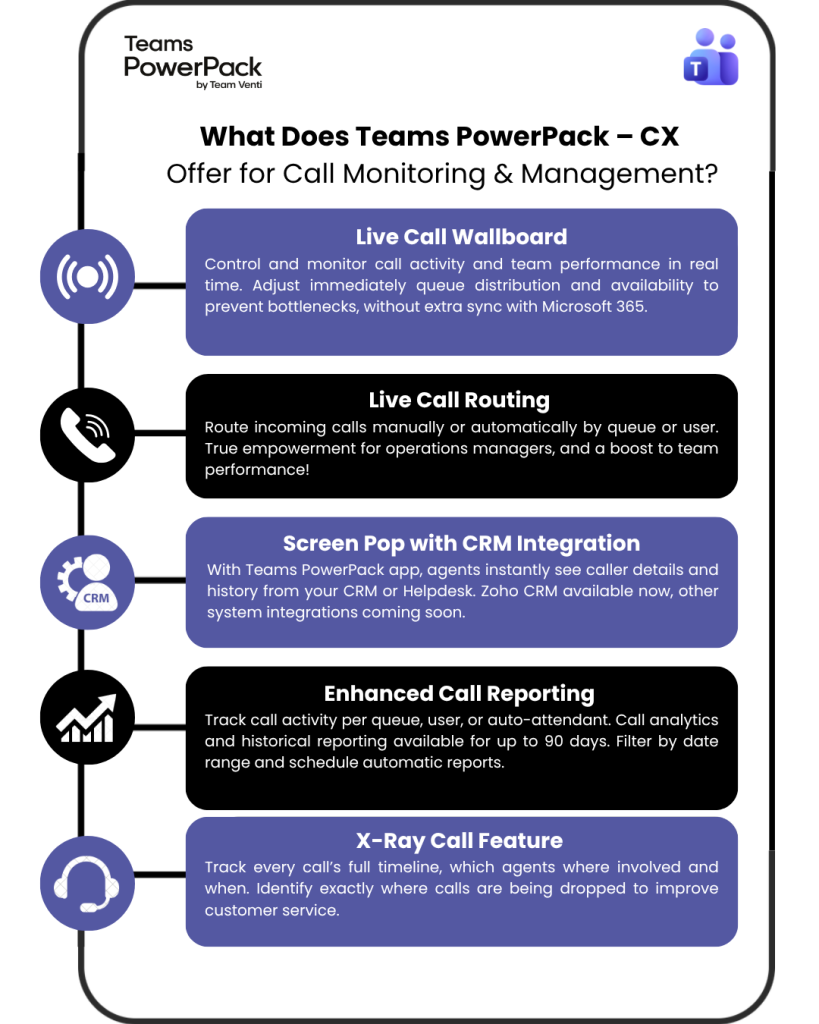
A native call monitoring app such as Teams PowerPack – CX solves this call insight gap. Built specifically for the Microsoft Teams environment, it turns call activity into a real-time customer service tool: live routing, queue management, call analytics and reporting – everything for an efficient call management.
Without extra complexity, security risks or high budget costs, Teams PowerPack – CX gives companies access to contact center-like features that enable the best customer experience and call optimization.
Want to see Teams PowerPack – CX in action?

Teams PowerPack by Team Venti
Customer experience tools natively built for Microsoft Teams. Extend your Teams without leaving the Microsoft 365 ecosystem
Real results: What customers say about Teams PowerPack
+30%
Netrio saw a 30% increase in team productivity within the first month.
+17%
Ireland Vagabond Tours increased their call answering rate by 17% – from 80% to 97%.
Why choose Teams PowerPack – CX for customer experience?
If you are ready to upgrade your customer experience for Microsoft Teams Voice and improve team performance, Teams PowerPack – CX is THE option: it’s natively built for Microsoft, delivers efficient call analytics and reporting, and provides real-time call management and monitoring.
Traditional contact center options often come with enterprise pricing, complex deployment, and tracking infrastructure outside Microsoft 365. With Teams PowerPack you get what your team actually needs: efficient call ops without hefty investments or complex adaptation. What’s better than that?
Pick the best option for your call operations and book a free demo with a Teams PowerPack product specialist. A 30-day free trial is available.

Sign up to learn more
Get news, updates, and insights about Microsoft solutions, technologies, and best practices.












